
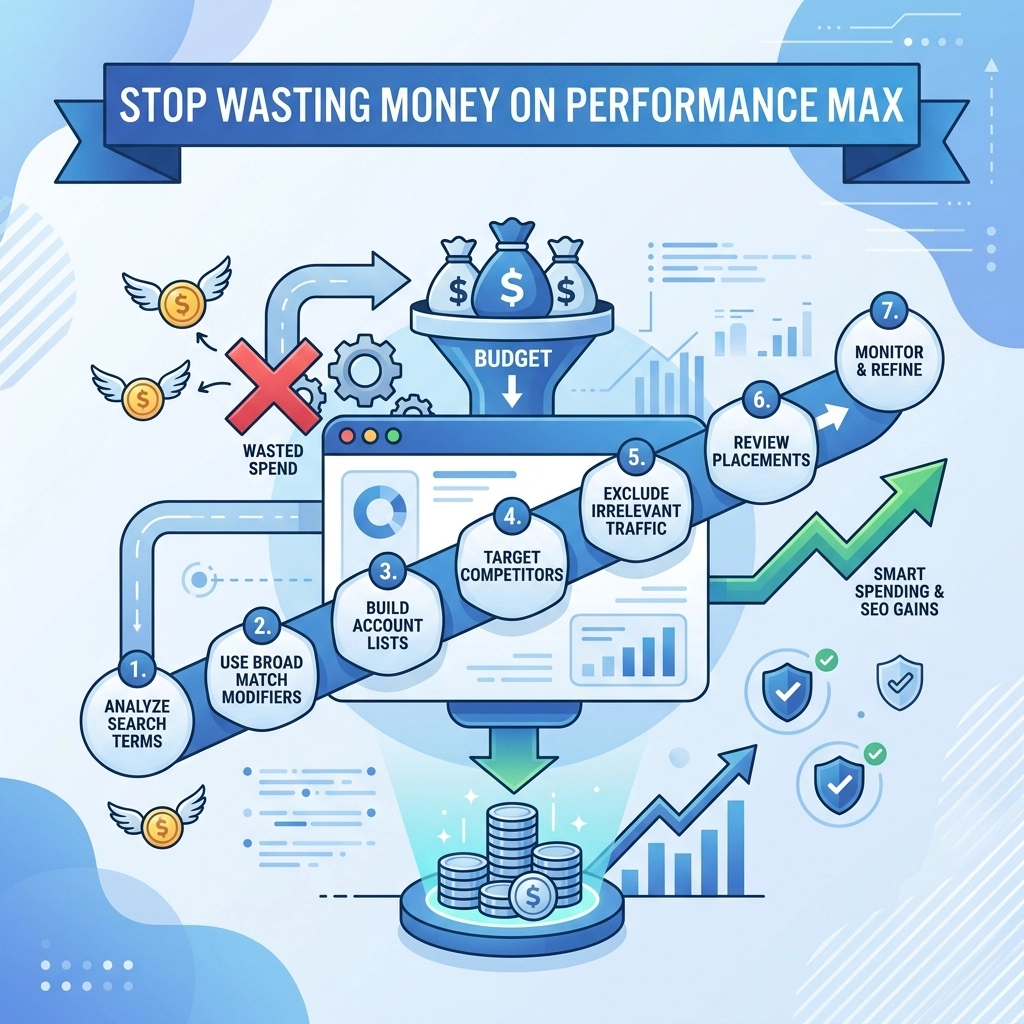

Performance Max campaigns are great for automation but they are also famous for wasting budget on junk traffic Google wants you to spend more money and their AI often bids on keywords that have nothing to do with your business If you want to protect your ROI you need to take control of your negative keywords Managing these isn't as straightforward as standard search campaigns but we have found ways to make it work In this guide we will show you 7 hacks to stop the bleed and improve your marketing performance
1 The Account Level Exclusion List
Google Ads used to hide negative keywords for Performance Max campaigns behind a wall of automation You can now apply a negative keyword list at the account level which affects all campaigns including PMax This is the most direct way to stop your ads from showing up for things like "jobs" or "careers" Most businesses do not want to pay for clicks from people looking for work Go to your account settings and find the negative keyword list section Add terms that are universally bad for your business like "free" or "cheap" if you are a premium service provider We recommend starting with a list of at least 400 words that you never want to rank for This simple step can save you up to 20% of your budget in the first month By cleaning up this traffic you ensure your budget goes toward actual leads
2 The Search Campaign Mirroring Trick
There is a workaround discovered on digital marketing forums that helps you force negative keywords into PMax Create a standard search campaign and apply a negative keyword list to it Name this list something obvious like "PMax Negative Exclusions" Inside the Google Ads interface you can sometimes copy these settings or use the content section to push these into your PMax campaign This trick works about 80% of the time and is a great way to gain granular control without waiting for Google support It allows you to manage one master list that syncs across your entire account When you use this method you prevent PMax from cannibalizing your existing search campaigns It also helps your SEO marketing efforts because you aren't paying for keywords that you already rank for organically You can learn more about our approach to this at https://www.worldwise.net/strategy.php

3 Leveraging Custom Website Design for Better Data
Your negative keyword strategy is only as good as the data your website provides If you use a generic template for your landing pages you might see high bounce rates that confuse the AI A custom website design allows you to create specific conversion actions that tell Google exactly what a "good" lead looks like When the AI knows which keywords lead to actual sales it stops bidding on the junk terms automatically Generic templates often have technical leaks that track the wrong things By investing in a professional design from WorldWise you give the PMax algorithm better signals to work with This reduces the need for constant manual negative keyword updates because the machine learns faster Clean code and fast loading speeds also help your conversion rate optimization significantly A high-performing site ensures that every dollar you spend on PMax actually has a chance to convert
4 Mapping Keywords to Funnel Stages
You should not treat all negative keywords the same way Some words are bad for sales but good for awareness In a Performance Max campaign you often want to exclude top-of-funnel terms if your goal is immediate sales Excluding words like "how to" or "what is" prevents you from paying for educational traffic when you want buyers If you are focused on SEO marketing you can target those educational terms organically for free Save your paid budget for keywords that include "price" "buy" or "service" This funnel-based approach ensures that your paid ads and organic content are not competing for the same budget We often see companies wasting thousands on broad terms that never lead to a phone call Mapping your keywords to the customer journey is essential for long-term success Check out our marketing services at https://www.worldwise.net/marketing.php to see how we map these funnels

5 The Account Manager Support Hack
If you cannot get your negative keywords to stick through the interface you can go directly to the source Google account managers and support staff have tools that regular users do not have You can send a CSV file of your negative keywords to a Google support representative Ask them to apply this list specifically to your Performance Max campaigns at the campaign level This is currently the only way to get campaign-specific negatives for PMax without using account-wide settings It takes a few days for them to process the request but it is worth the wait Having campaign-level negatives allows you to run different PMax campaigns for different product lines without overlap This level of precision is what separates amateur advertisers from professional agencies It is a "set it and forgotten it" strategy that keeps your account clean If you need help preparing this list our team can assist you at https://www.worldwise.net/contact.php
6 Using Search Terms Reports for SEO Synergy
Performance Max hides a lot of data but you can still find search term insights in the reports tab Review these reports weekly to find new words to add to your negative list You will often find that PMax is bidding on misspelled versions of your competitors or irrelevant phrases Take these irrelevant phrases and add them to your account exclusions immediately But don't just throw the data away If you find keywords that are high-intent but not quite right for a paid ad use them for your SEO marketing You can create blog posts or service pages around these terms to capture the traffic for free This creates a cycle where your paid ads find new opportunities and your organic strategy scales them It is a utilitarian way to use your ad spend as a research tool We have found that this is one of the fastest ways to grow organic traffic for our clients

7 Brand Name Protection and Exclusions
By default PMax will spend a lot of your budget bidding on your own company name This makes your reports look great because people searching for you are likely to convert anyway However you are usually ranking number one organically for your own name You are essentially paying for clicks you would have received for free Create a brand exclusion list to stop PMax from bidding on your own brand or specific competitors This forces the AI to go out and find new customers instead of just poaching existing ones If you want to protect your brand name do it through a dedicated search campaign where you have more control over the cost Excluding your brand from PMax ensures that your budget is used for genuine growth It also helps you see the true value of your SEO marketing efforts When PMax is not taking credit for organic brand searches you get a much clearer picture of your ROI
Improving Your Overall Digital Presence
Negative keywords are just one part of the puzzle To really see success in 2026 you need a holistic approach that combines search engine optimization with high-quality design At WorldWise we focus on building websites that convert and marketing campaigns that actually drive revenue If your current PMax campaigns are underperforming it might be time for a new strategy A custom website and a refined marketing plan can change everything for your business Stop letting Google spend your money on irrelevant traffic and start taking control of your data You can get started with a better digital strategy today by visiting https://www.worldwise.net/get-started-min.php We are here to help you navigate these complex tools and ensure your business grows

Summary of Actions
Start by creating your account-level exclusion list today Audit your search terms report to see where the waste is happening Reach out to support if you need campaign-level precision Remember that your website is the foundation of every ad you run If your site is slow or outdated no amount of negative keywords will fix your conversion rate Check your hosting and technical setup at https://www.worldwise.net/web-hosting.php to ensure your ads have a solid place to land The digital landscape is always changing but these fundamental hacks will keep your Performance Max campaigns profitable We have seen these strategies work across dozens of industries and they will work for you too Take these steps and watch your cost-per-acquisition drop while your lead quality rises