
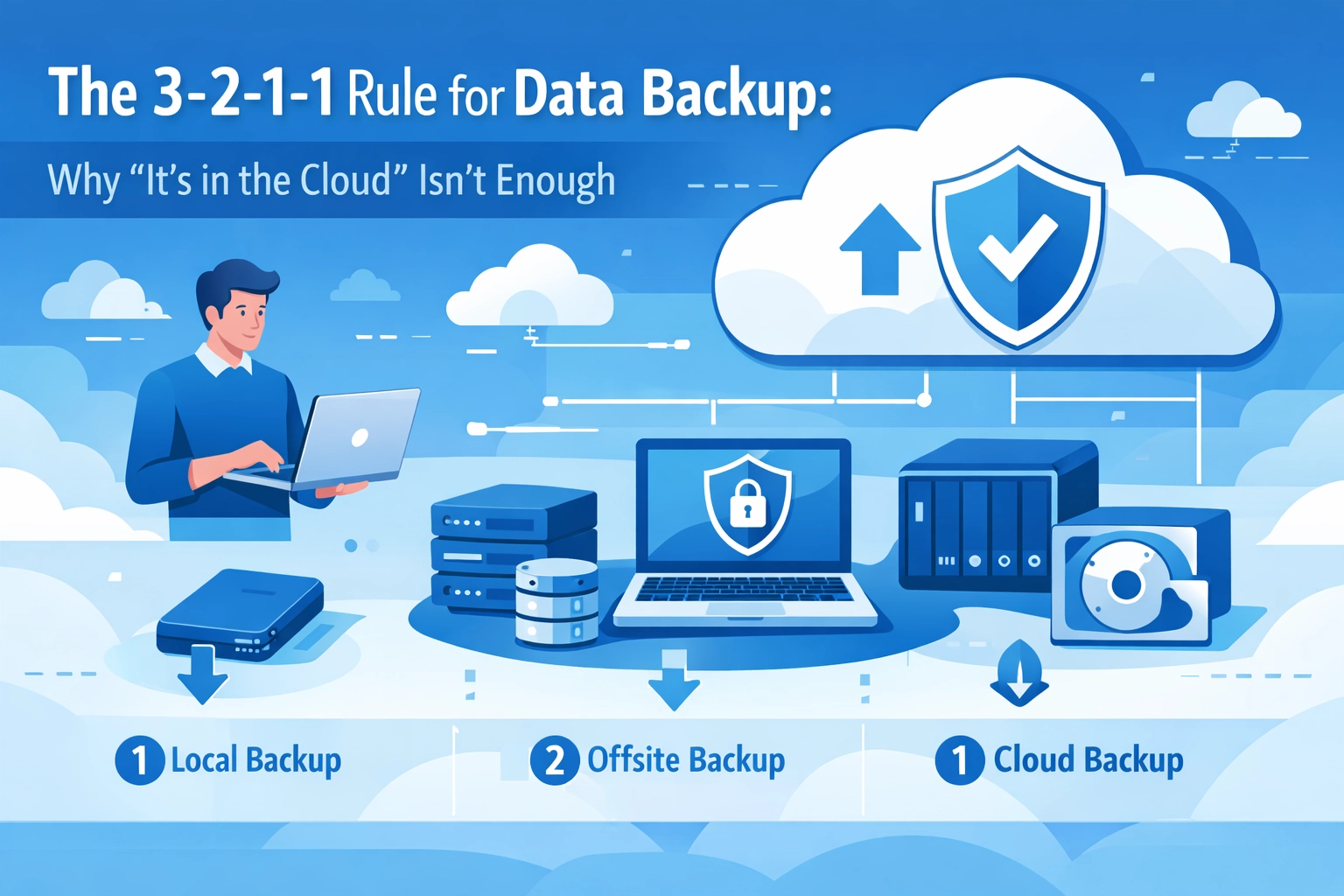

"We're good , everything's in the cloud."
If that's your entire data backup strategy, you're one internet outage away from a very bad day.
Cloud storage is great. It's convenient, accessible from anywhere, and you don't need to manage physical hardware. But treating it as your only backup solution is like having one key to your house and leaving it under the doormat. Sure, it works : until it doesn't.
The reality is that cloud-only backup leaves you vulnerable to internet outages, service disruptions, accidental deletions, and even ransomware attacks that sync across your devices. That's where the 3-2-1-1 rule comes in.
What Is the 3-2-1-1 Rule?
The 3-2-1-1 rule is a backup strategy designed to protect your data from multiple failure points. Here's how it breaks down:
- 3 copies of your data : The original plus two backups
- 2 different media types : Don't put all your eggs in one basket (or all your backups on one type of storage)
- 1 offsite copy : Keep at least one backup somewhere other than your primary location
- 1 immutable or offline copy : Have one backup that can't be altered, deleted, or encrypted by ransomware
This approach ensures that if one backup method fails, you've got others to fall back on. It's redundancy by design, and it's saved countless businesses from catastrophic data loss.
Why Cloud-Only Backup Falls Short
Let's dig into why relying exclusively on cloud storage isn't the safety net you think it is.
You're At the Mercy of Your Internet Connection
Cloud backup requires a stable internet connection to both store and retrieve your data. If your internet goes down : whether it's your ISP, a regional outage, or just a bad day for infrastructure : you can't access your backups when you need them most.
This becomes critical during emergencies. If you're trying to recover from a server failure or ransomware attack, you need immediate access to your data. Waiting for internet service to be restored isn't an option.
Cloud Services Experience Downtime Too
Major cloud providers are reliable, but they're not invincible. Server failures, maintenance windows, and unexpected outages happen. When they do, your data is temporarily inaccessible.
If you're dealing with a time-sensitive situation : maybe you need to retrieve client files for a deadline or restore operations after an incident : even a few hours of downtime can be devastating.
Accidental Deletions and Corruptions Sync Everywhere
Here's a nightmare scenario: You accidentally delete a critical folder on Monday. Your cloud backup auto-syncs the deletion. By the time you realize the mistake on Wednesday, your version history only goes back 24 hours.
The file is gone. Everywhere.

Cloud sync is designed to mirror what's on your local machine. That's useful for collaboration and accessibility, but it means mistakes propagate instantly. Without a separate, non-synced backup, there's no going back.
Ransomware Can Encrypt Your Cloud Backups
Modern ransomware is smart. It doesn't just encrypt your local files : it goes after network drives and cloud-synced folders too. If your cloud backup is constantly connected and syncing, ransomware can encrypt those files as well.
That's why the final "1" in the 3-2-1-1 rule : the immutable or offline copy : is so critical. It's a backup that ransomware can't touch.
You Don't Control the Infrastructure
When you rely solely on a third-party cloud provider, you're placing complete trust in their infrastructure, security practices, and business continuity plans. Provider outages, data breaches, or even business closures can put your data at risk.
Migration to another provider is complex and expensive, especially with large data volumes. If something goes wrong, you have limited recourse and even less control.
How to Implement the 3-2-1-1 Rule
You don't need to be an IT expert to set this up. Here's a practical approach for most businesses:
Copy #1: Your Working Data
This is the data you use every day : files on your computer, documents on your server, databases running your applications. It's not a backup; it's the original.
Copy #2: Local Backup
Set up an automated backup to a local device. This could be:
- An external hard drive
- A network-attached storage (NAS) device
- A dedicated backup server
Local backups are fast to restore from and don't depend on internet connectivity. Schedule them to run automatically at the end of each business day.

Copy #3: Cloud Backup
Now add your cloud backup. Services like Backblaze, Carbonite, or enterprise solutions through managed IT providers can automatically sync your data offsite.
This covers the "1 offsite" requirement. If your building floods, catches fire, or experiences a physical disaster, your cloud backup remains safe.
The Final "1": Immutable/Offline Copy
This is your insurance policy against ransomware and catastrophic user error. Options include:
- Immutable cloud storage : Many enterprise backup solutions offer "write once, read many" storage that can't be modified or deleted
- Offline external drives : Rotate physical drives that you disconnect and store securely
- Air-gapped backups : Backups on devices that are never connected to your network
The key is that this copy cannot be accessed or altered remotely. It exists independently of your day-to-day systems.
Don't Forget About Testing
Here's the uncomfortable truth: An untested backup isn't a backup : it's a wish.
Schedule regular restore tests. Pick random files or folders and try recovering them from each of your backup sources. Make sure you can actually access and use the data when you need it.
Many businesses have discovered their backups were corrupted, incomplete, or configured incorrectly only after a real disaster struck. Don't be one of them.
The Real Cost of Data Loss
According to industry research, 60% of small businesses that lose their data shut down within six months. The costs aren't just financial : there's lost productivity, damaged reputation, potential legal liability, and the stress of trying to rebuild from nothing.
Implementing the 3-2-1-1 rule might seem like overkill when everything's running smoothly. But when disaster strikes : and statistically, it will : you'll be glad you invested in proper data protection.

Getting Professional Help
If setting up a comprehensive backup strategy sounds overwhelming, that's what managed IT support is for. Professional IT teams can design, implement, and monitor backup systems that follow the 3-2-1-1 rule without you having to think about it.
They'll handle the technical details, schedule regular tests, and make sure your data is genuinely protected : not just stored somewhere and forgotten.
Your Next Steps
Start by auditing your current backup situation:
- How many copies of your data exist?
- Where are they stored?
- When was the last time you tested a restore?
- Could ransomware access all your backups simultaneously?
If you can't confidently answer these questions, or if your answers reveal gaps in protection, it's time to implement a real backup strategy.
The 3-2-1-1 rule isn't complicated, but it requires intentional planning and consistent execution. Your business's survival might depend on it.
Need help getting your backup strategy sorted? Reach out to our team and we'll help you build a system that actually protects your data ( not just moves it around.)