
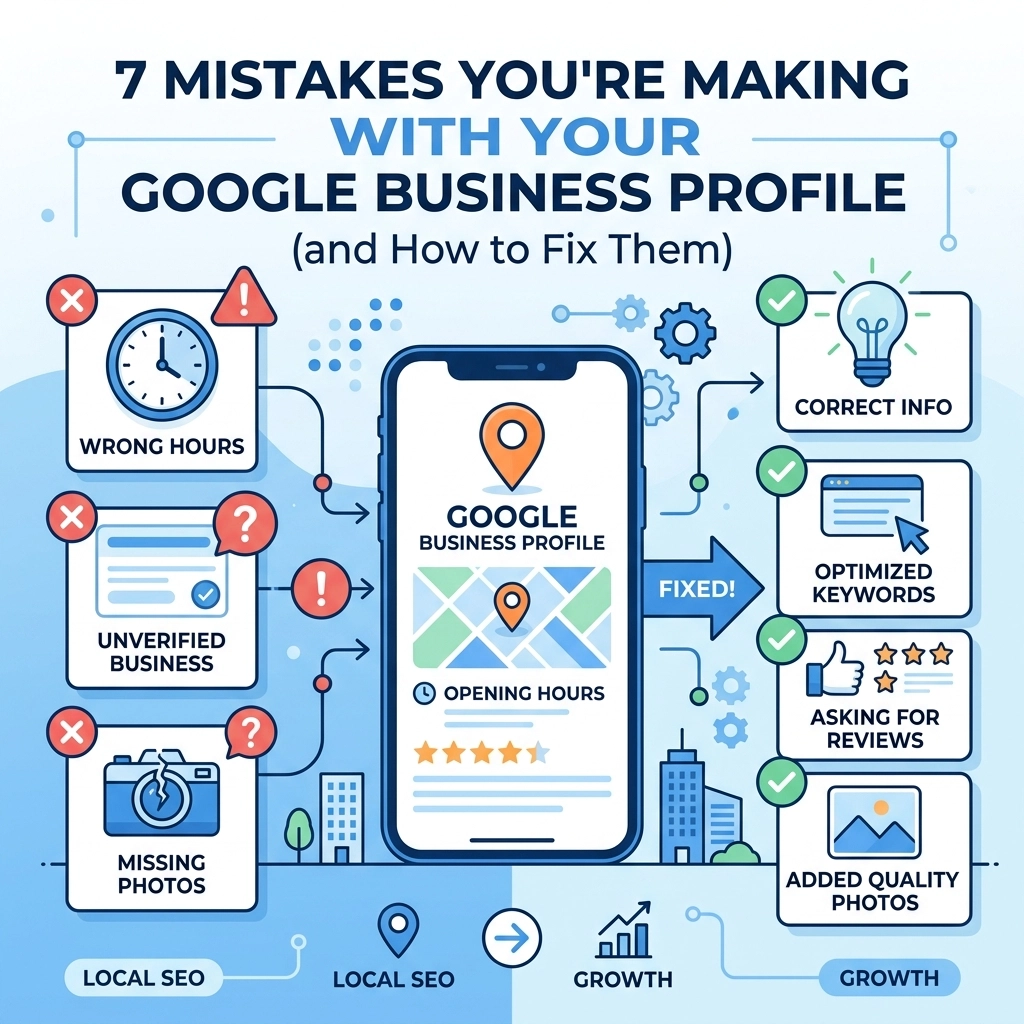

If you run a local business your Google Business Profile (GBP) is basically your new front door. Most people aren't going to scroll through pages of search results to find you. They look at the "Map Pack" at the top of the page. If your profile is messy or incomplete you are essentially handing customers over to your competitors on a silver platter
At WorldWise we see businesses making the same handful of errors over and over. These mistakes don't just look bad: they actively hurt your search engine optimization and lower your ranking. Here is a breakdown of the most common blunders and exactly how to fix them
1. Leaving Your Profile Unclaimed or Incomplete
The most basic mistake is simply not owning your listing. If you haven't claimed your profile anyone can suggest edits to it. This includes competitors who might want to change your phone number or "helpful" users who accidentally provide the wrong hours. Even if you have claimed it many businesses leave half the fields blank
The Fix:
Log in to your Google Business Profile dashboard right now and check your "Info" tab. You need to fill out every single section. This includes your business description, services, attributes, and opening hours. A complete profile gives Google more data to crawl which improves your local search engine optimization efforts. If Google doesn't know what you do it can't show you to the right people

2. Inconsistent NAP Data
NAP stands for Name, Address, and Phone number. This is a critical pillar of local search engine optimization. Google’s algorithm looks for consistency across the web to verify that your business is legitimate. If your website says "Suite 100" but your Google profile says "Ste. 100" or "Unit 100" it creates a tiny bit of friction for the algorithm
The Fix:
Choose one exact format for your address and name then stick to it everywhere. This means your website, your Facebook page, your Yelp listing, and your GBP must be identical. If you have moved recently or changed your phone number you need to do a full audit of your digital footprint. You can learn more about how we handle these technical details on our strategy page
3. Choosing the Wrong Primary Category
Your primary category is the most important factor for how Google decides which searches you should show up for. If you are a "Pizza Restaurant" but you accidentally set your primary category to "Italian Restaurant" you might miss out on people specifically looking for a quick slice. Many businesses pick a category that is too broad or one that doesn't actually reflect their main source of revenue
The Fix:
Look at what your top-ranking competitors are using. You get one primary category and several secondary categories. Make sure the primary one is the most specific and accurate description of your business. Use secondary categories to fill in the gaps for other services you offer. If you need help refining your digital reach our marketing team can help you identify the high-value keywords your customers are actually using

4. Ghosting Your Reviews
Customer reviews are a major ranking factor. More importantly they are a massive trust signal. If a potential customer sees a negative review from three months ago with no response they assume you don't care about customer service. Even worse is ignoring positive reviews. If someone takes the time to praise your business and you ignore them you are missing a chance to build brand loyalty
The Fix:
Set a schedule to check your reviews at least once a week. Respond to every single one. Thank the happy customers for their business. For negative reviews stay professional and offer to move the conversation offline. Never argue with a reviewer in the comments. It looks petty and scares away future customers. Active engagement tells Google that your business is alive and well
5. Using Low-Quality or Stock Photos
Humans are visual creatures. If your profile features a blurry photo taken from a car window or a generic stock photo of people shaking hands it doesn't build trust. People want to see the inside of your office, your actual team, and the work you’ve done. High-quality images can significantly increase the click-through rate from the map results to your website
The Fix:
Take 10-15 high-resolution photos of your business. Include exterior shots so people can find you easily. Include interior shots so they know what to expect when they walk in. If you are a service-based business show photos of your team on the job. Update these regularly. Google loves fresh content. You can see examples of how we showcase professional work in our portfolio

6. Ignoring the Q&A Section
The "Questions & Answers" section on your profile is a public forum. Anyone can ask a question and: crucially: anyone can answer it. If you aren't monitoring this section someone else might provide incorrect information about your pricing, parking, or services
The Fix:
Treat this section like a Frequently Asked Questions page. You are actually allowed to post your own questions and answer them yourself. This is a great way to provide helpful information and include relevant keywords for search engine optimization. If a customer asks a question answer it immediately. This prevents "helpful" strangers from giving out bad advice under your business name
7. Treating It Like a "Set It and Forget It" Tool
Your Google Business Profile is not a static billboard. It is a social platform. If the last time you updated your profile was in 2022 Google will assume the information might be stale. This can cause your rankings to dip in favor of a competitor who is posting updates every week
The Fix:
Use the "Posts" feature. You should treat Google Posts like a mini blog or a social media update. Share news about new services, special offers, or helpful tips. These posts show up directly in your profile and can grab a customer’s attention before they even click through to your site. Regular updates show both Google and your customers that you are open for business and active in the community

Why This Matters for Your Business
Your online presence is often the only thing standing between you and a new lead. If your profile is a mess people will click on the next business in the list. Local search engine optimization is about removing the friction between a customer’s problem and your solution. By fixing these seven common mistakes you make it easier for Google to trust your business and easier for customers to choose you
At WorldWise we specialize in making sure your digital footprint is professional and effective. Whether you need a brand new web design or a comprehensive marketing strategy we have the tools to help you grow
If you aren't sure where to start with your profile or your overall digital strategy we can help. Check out our about page to see how we work or contact us today to get started on a plan that actually drives results. Your business deserves to be seen and it starts with a profile that works as hard as you do