
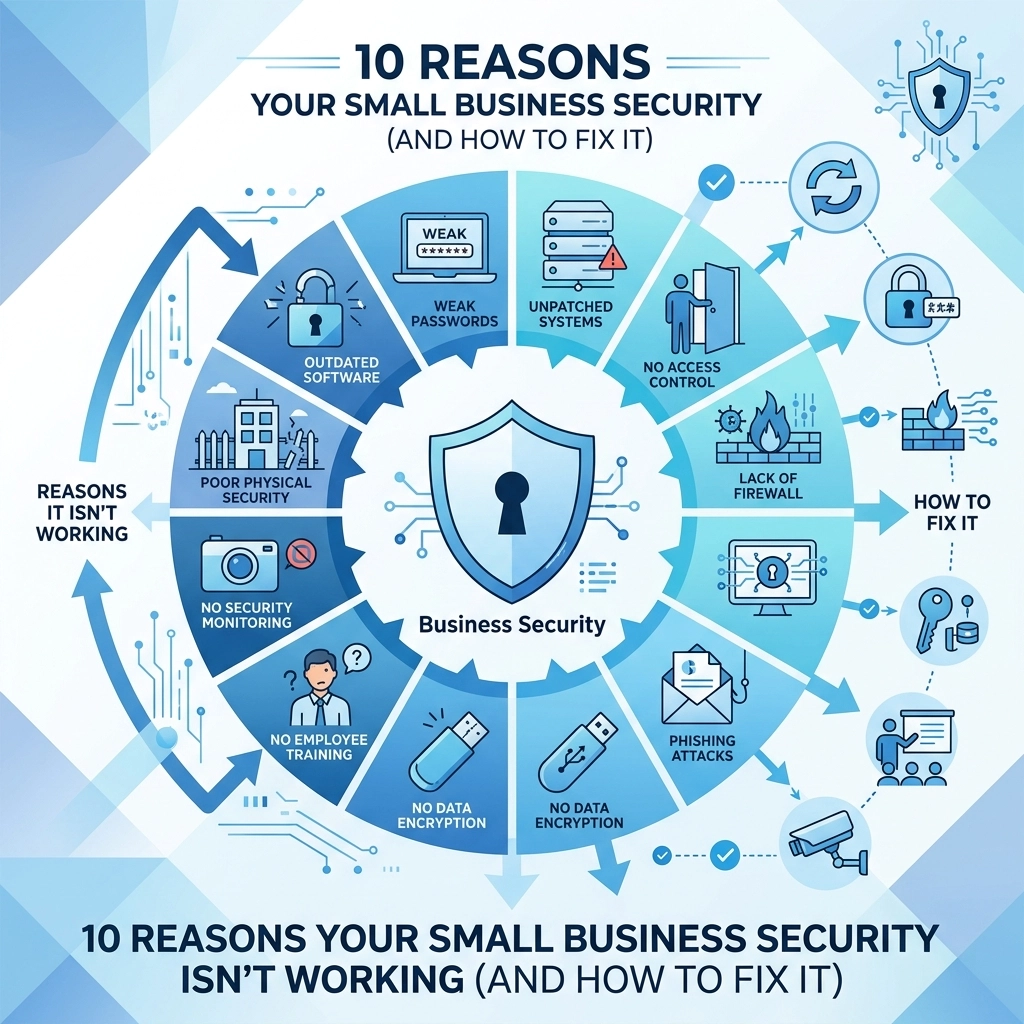

Small business owners often think they are flying under the radar of cyber criminals
This is a dangerous misconception
Hackers target small companies because they usually have weaker defenses than large corporations
Most security failures happen because of simple habits rather than high-tech attacks
You need to identify where your armor is thin so you can patch it before a breach occurs
This guide looks at the top ten reasons your current security setup is failing and provides direct actions to fix the mess
1. Weak Authentication and No Multi-Factor Protection
Many businesses still rely on simple passwords like names or birthdays
Employees often reuse these passwords across multiple platforms including personal social media and work email
If one account gets compromised every account is at risk
Cyber criminals use automated tools to guess these weak passwords in seconds
The Problem
You found that staff members are writing passwords on sticky notes
You found that multiple people share the same login for administrative tools
This creates a massive entry point for anyone looking to steal your data
How to Fix It
Implement a strict password policy immediately
Require at least 12 characters with a mix of symbols and numbers
Enable Multi-Factor Authentication (MFA) on every single platform you use
MFA adds a second layer of verification like a code sent to a phone
Even if a hacker has your password they cannot get in without that second code
You should also use a corporate password manager to store credentials securely
Visit our strategy page to learn how we help plan these rollouts

2. Lack of Regular Audits and Maintenance
Technology is not a set-it-and-forget-it asset
New vulnerabilities are discovered in software and hardware every single day
If you are not checking your systems regularly you are leaving a back door open
The Problem
Your router firmware is three years out of date
Your antivirus software has not run a full scan in months
You have no idea who has access to your server folders because you never checked the permissions
How to Fix It
Set a schedule for quarterly security audits
Review who has access to what files and remove anyone who no longer needs it
Check for firmware updates on routers and firewalls
Update all software applications to the latest versions to patch known bugs
If you do not have time for this consider our computer support services to handle the technical heavy lifting
3. Operating Without Data Encryption
Data is the lifeblood of your business
If that data is stolen and it is not encrypted anyone can read it
This includes customer credit card numbers and employee social security details
The Problem
You send sensitive documents through standard email without protection
You store customer lists on unencrypted laptops or USB drives
If a device is lost or stolen your entire business history is available to the finder
How to Fix It
Turn on full-disk encryption for every company laptop and mobile device
Use secure file transfer protocols for sensitive documents
Ensure your website uses a valid SSL certificate to protect visitor data
Encryption scrambles the information so it looks like gibberish without the key
This is a basic requirement for many insurance policies and legal standards
4. Using Function-Based Accounts Instead of Unique IDs
Sharing a login for "Accounting" or "Sales" is common in small offices
It seems easier than managing ten different usernames
However it is a security nightmare
The Problem
You found that you cannot tell which employee deleted a critical file
You found that when an employee leaves the company you have to change passwords for everyone else
Generic accounts provide zero accountability
How to Fix It
Create a unique user account for every individual person in the company
Never share logins between staff members
Assign permissions based on the specific job role of the person
This allows you to track exactly what happens on your network
It also makes offboarding easy because you only disable one account
Check out our about page to see how we structure secure workflows

5. Relying on Physical Mail for Sensitive Data
In a digital world physical mail is surprisingly insecure
Envelopes can be opened or stolen from mailboxes
Paper documents are often left on desks for anyone to see
The Problem
You receive paper bank statements and tax forms through the post
You leave sensitive printed reports in the communal kitchen or at the front desk
Information leaks often happen right inside your own office walls
How to Fix It
Switch to paperless billing and digital delivery for all financial documents
Use secure portals to share information with clients and partners
Implement a clean desk policy where sensitive papers are locked away at night
Shred all documents that are no longer needed
Digital security starts with your physical environment
6. Backups Exist but They are Not Tested
Having a backup is only half the battle
Many businesses find out their backup is corrupted only when they actually need it
If you cannot restore your data the backup is worthless
The Problem
You set up an automatic backup months ago but never checked the logs
The backup drive is full so it stopped saving new files weeks ago
You have no plan for how long it will take to get back online after a crash
How to Fix It
Run a restoration test at least once a month
Pick a random file and try to recover it from your backup system
Define your Recovery Time Objective (RTO) which is how long you can afford to be down
Store at least one copy of your data off-site or in a secure cloud
Visit our support center for help setting up a reliable backup routine
7. Ignoring Legal and Compliance Obligations
Data laws are getting stricter
If you handle health data or financial info you have specific legal duties
Ignorance is not a defense in court
The Problem
You are unaware of the data breach notification laws in your area
You do not know how long you are legally required to keep certain records
You have no written plan for what to do if a hack occurs
How to Fix It
Research the regulations that apply to your specific industry
Create a written Incident Response Plan
Train your staff on why data protection matters and what the legal consequences are
Knowing your obligations helps you prioritize where to spend your security budget
Review our capabilities statement for more on our professional standards

8. Weak Network Security and Connectivity
Your office Wi-Fi is often the weakest link
If a guest can hop on your internal network they can potentially see your server
Old hardware often lacks the power to run modern security features
The Problem
Your guest Wi-Fi uses the same password as your staff network
Your router is located in an unlocked closet where anyone can plug in a laptop
You are using outdated WPA encryption on your wireless signal
How to Fix It
Separate your network into different segments for guests and employees
Hide your SSID so your network name does not show up to everyone on the street
Install a business-grade firewall instead of a home-office router
Check for unauthorized devices on your network map weekly
For a more secure setup see our web hosting services
9. Unmanaged Remote Work and Personal Devices
Remote work is here to stay but it brings new risks
Employees often use personal laptops that do not have company security software
Home networks are usually less secure than office environments
The Problem
Staff members are accessing company email from a shared family computer
Employees use public Wi-Fi at coffee shops without a VPN
You have no way to remotely wipe data if a personal phone is lost
How to Fix It
Provide company-owned devices for remote work whenever possible
If you allow personal devices use Mobile Device Management (MDM) software
Require the use of a Virtual Private Network (VPN) for all remote connections
VPNs create a secure tunnel for your data to travel through
Draft a clear Remote Work Policy that outlines these requirements

10. Lack of Documented Policies and Procedures
If it is not written down it does not exist
Employees will make their own rules if you do not provide them
Inconsistency is the friend of a hacker
The Problem
New hires receive no security training during onboarding
Every manager has a different way of handling sensitive files
There is no central place to find security instructions
How to Fix It
Write a simple security handbook for all staff
Include instructions for reporting suspicious emails and handling passwords
Hold a brief security meeting every six months to refresh everyone
A culture of security is more effective than any single piece of software
Contact us at our contact page to start building a safer business
Taking the Next Step
Security is a journey rather than a destination
By addressing these ten common failures you move ahead of most small businesses
Do not wait for a breach to happen before you take action
Start with one fix today like enabling MFA and work through the list
If you need expert help with your digital strategy or secure web design reach out to us
We help businesses stay secure while growing their online presence
Check out our portfolio to see how we have helped others succeed safely
You can also get started with a consultation to review your current setup
Stay safe and stay proactive