


Most business owners treat data backup like a spare tire. They know it is there but they never check the air pressure until they are stuck on the side of the road. In the digital world being stuck means losing your files your customer data and your revenue. Business continuity is the art of making sure that never happens. It is the ability to keep your operations running even when technology fails or hackers attack
Data backup is simply copying your information and storing it somewhere safe. If the original copy gets deleted or locked you use the backup to get back to work. While it sounds simple many businesses get it wrong because they do not have a plan. They save a few files to a thumb drive once a month and call it a day. That is not a strategy. That is a recipe for disaster
Why data backup is a non-negotiable part of cybersecurity
Cybersecurity is not just about firewalls and fancy passwords. It is about resilience. Ransomware is one of the biggest threats to businesses today. Hackers get into your system and encrypt your files so you cannot open them. Then they demand money to give you the key. If you have a solid backup you do not have to pay the ransom. You just wipe your system and restore your data from yesterday
Data loss does not always come from a hacker though. Sometimes it is a spilled cup of coffee on a laptop or a server hardware failure. Sometimes a natural disaster like a flood or a fire destroys your office. If all your data is in one physical building you are at risk. Business continuity planning ensures that your data lives in multiple places at once so one bad day does not end your company

The 3-2-1 Rule: The gold standard of data safety
If you want to protect your business you should follow the 3-2-1 rule. This is the industry standard for a reason. It is simple and it works
- Keep three copies of your data. This includes the original and at least two backups
- Use two different types of storage media. For example keep one copy on an external hard drive and another on a cloud server
- Keep one copy offsite. This protects you if your office or primary workspace is physically damaged
Following this rule means you have redundancy. If your external drive fails you still have the cloud. If the cloud service has an outage you have the local drive. You can learn more about how we implement these strategies at our strategy page
Identifying what needs to be backed up
You do not necessarily need to back up every single byte on every computer but you do need to identify your "mission-critical" data. Think about what you need to survive a 24-hour shutdown
- Customer records: Names addresses and purchase history
- Financial data: Tax records payroll and invoices
- Proprietary documents: Intellectual property contracts and project files
- Website files: If your site goes down you need to be able to put it back up quickly. Check our web hosting services for more on secure server management
Once you know what matters you can decide how often to back it up. Some data changes every hour. Other data stays the same for months. Classifying your data helps you save storage space and money
Local vs. Cloud: Which is better for you
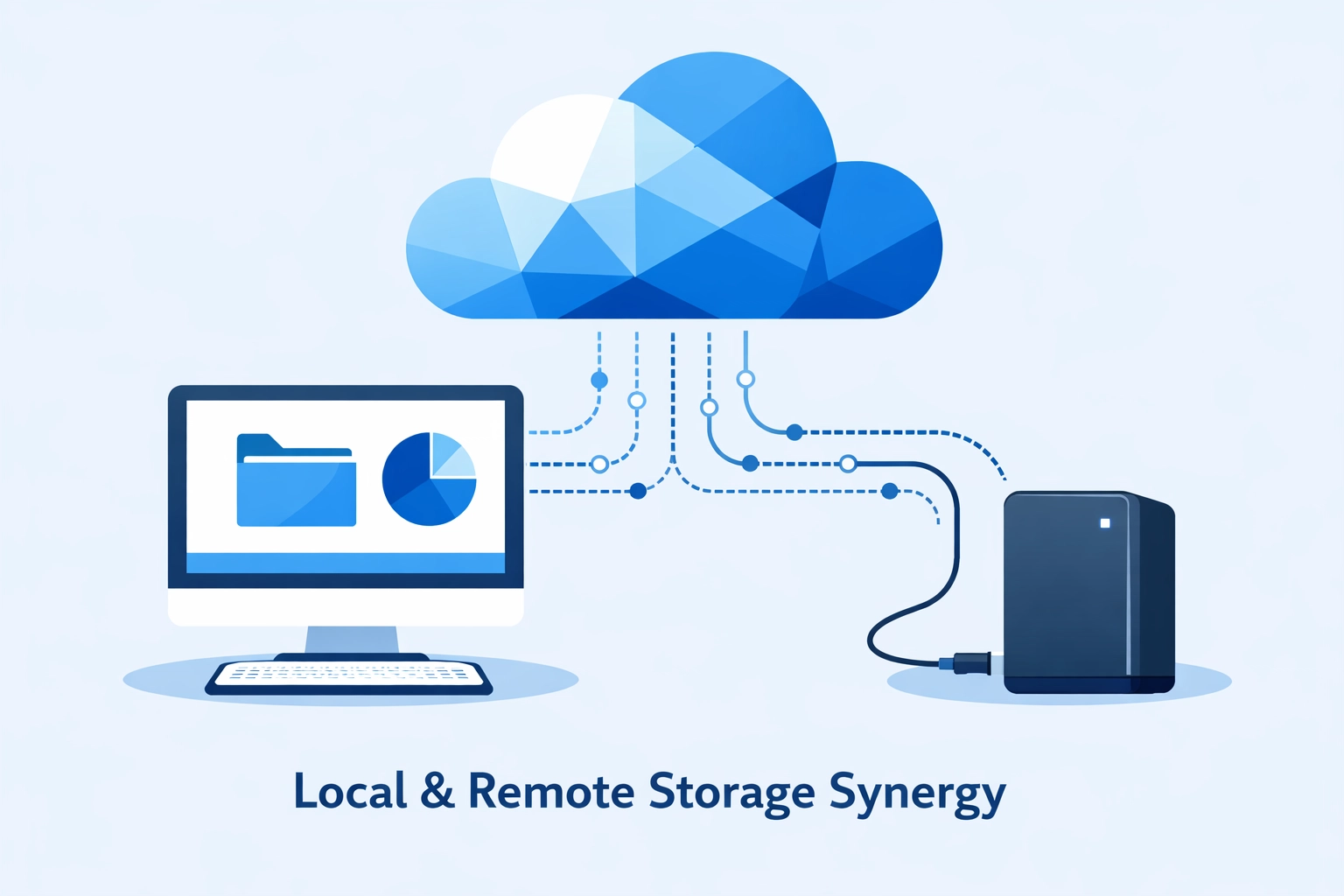
Local backups involve physical hardware like external hard drives or Network Attached Storage (NAS) devices. The main benefit is speed. If you need to restore a massive file it is much faster to pull it from a drive on your desk than to download it from the internet. The downside is that local drives are vulnerable to theft fire and hardware failure
Cloud backups use remote servers to store your data. This is great for cybersecurity because the data is kept in a professional data center with its own security and redundancy. It is also scalable. If you need more space you just pay a little more. The downside is that restoring large amounts of data can take a lot of time depending on your internet speed
The best approach is a hybrid one. Use local storage for quick recoveries and the cloud for disaster recovery. We offer comprehensive computer support to help you set up these hybrid systems
Understanding the different types of backups
Not all backups are created equal. You need to understand the three main types so you can choose the right one for your business rhythm
Full Backups A full backup is a complete copy of all your selected data. It is the most comprehensive but it takes the longest and uses the most storage space. Most businesses do a full backup once a week
Incremental Backups This type only backs up the files that have changed since the last backup. It is very fast and uses very little space. However if you need to restore your data you need the last full backup plus every single incremental backup since then
Differential Backups This is a middle ground. It backs up all the files that have changed since the last full backup. It takes more space than an incremental backup but it is faster to restore because you only need the full backup and the latest differential one
Automation is your best friend
The number one reason backups fail is human error. Someone forgets to plug in the drive or forgets to click "start." You should never rely on your memory for business continuity. Automation tools can handle the heavy lifting for you. You can set your system to back up every night at 2:00 AM while you are sleeping. If something goes wrong the system sends you an alert. We help businesses manage these automated processes through our support services
Testing your recovery process
A backup is only good if it actually works. You would be surprised how many companies think they are safe until they try to restore a file and find out the backup was corrupted six months ago. You must test your recovery process regularly
Set a schedule to perform a "test restore" once a month. Pick a random file and try to bring it back from your backup. If it works you are in good shape. If it does not you need to fix your system before a real emergency happens. This is a core part of any cybersecurity routine
Establishing a retention policy
How long do you need to keep your backups? Some businesses only need the last 30 days of data. Others are required by law to keep records for seven years. A retention policy defines how long you store old backups before they are deleted or overwritten. Keeping too much data costs money and creates a larger target for hackers. Keeping too little puts your business at risk. Find the balance that fits your specific industry
How WorldWise helps you stay protected
Setting up a data backup and business continuity plan can feel overwhelming if you are not a "tech person." You have a business to run and you shouldn't have to spend your weekends worrying about server logs or encryption keys. That is where we come in
At WorldWise we provide the technical expertise to keep your business running no matter what happens. From secure web design to robust digital marketing we integrate security into everything we do. We can help you audit your current data situation and implement a 3-2-1 strategy that fits your budget
If you are ready to stop worrying about data loss and start focusing on growth we are here to help. You can check out our portfolio to see how we’ve helped other businesses stay online or you can contact us today to get a custom plan started
Don't wait for a crash to realize you need a backup. Start your business continuity plan today and give yourself the peace of mind you deserve